· Pricing
n8n pricing: Cloud plans, executions and the free self-hosted edition
n8n charges for workflow runs, not steps. That makes long workflows cheap and frequent triggers expensive. Here is how to size it.
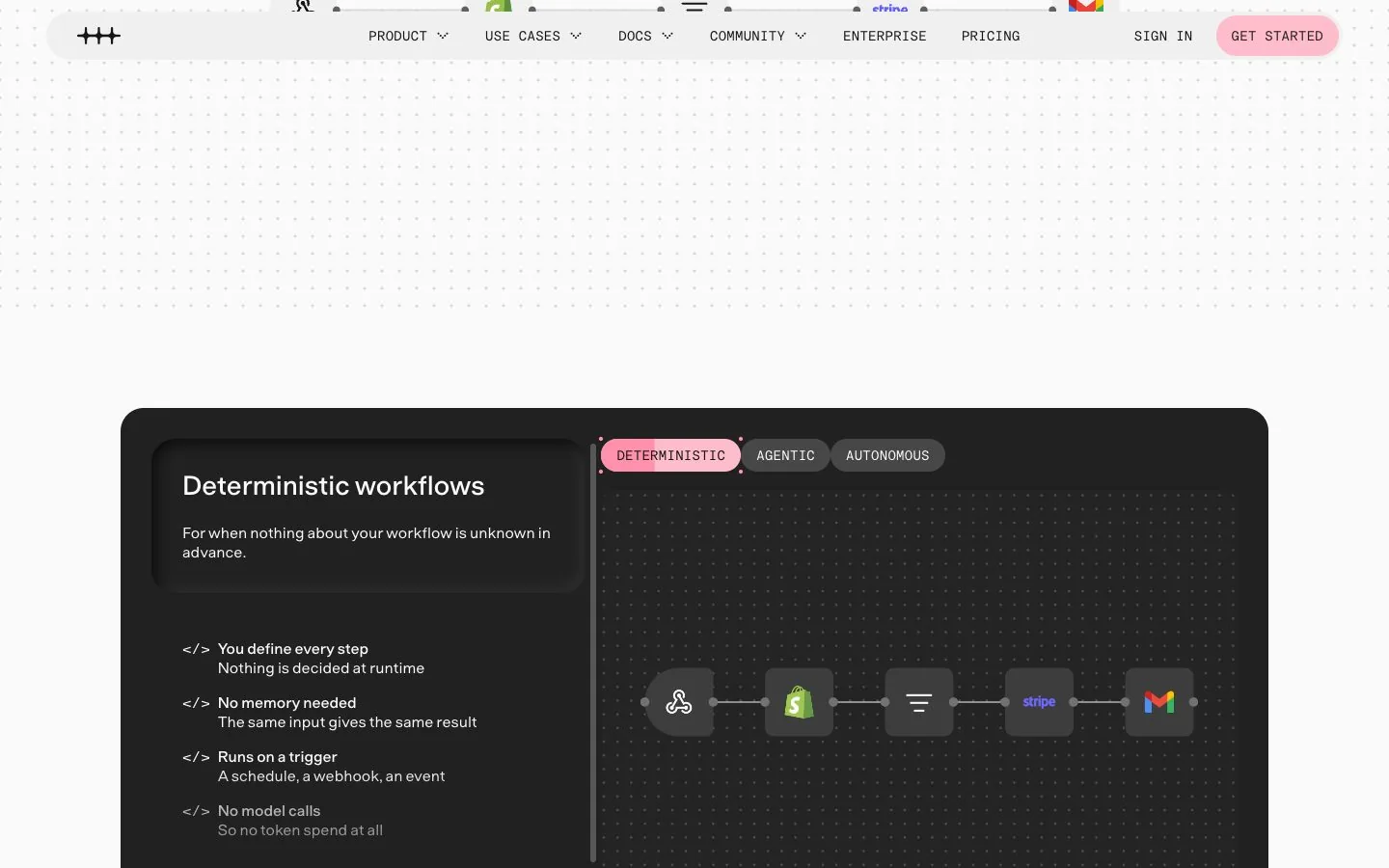
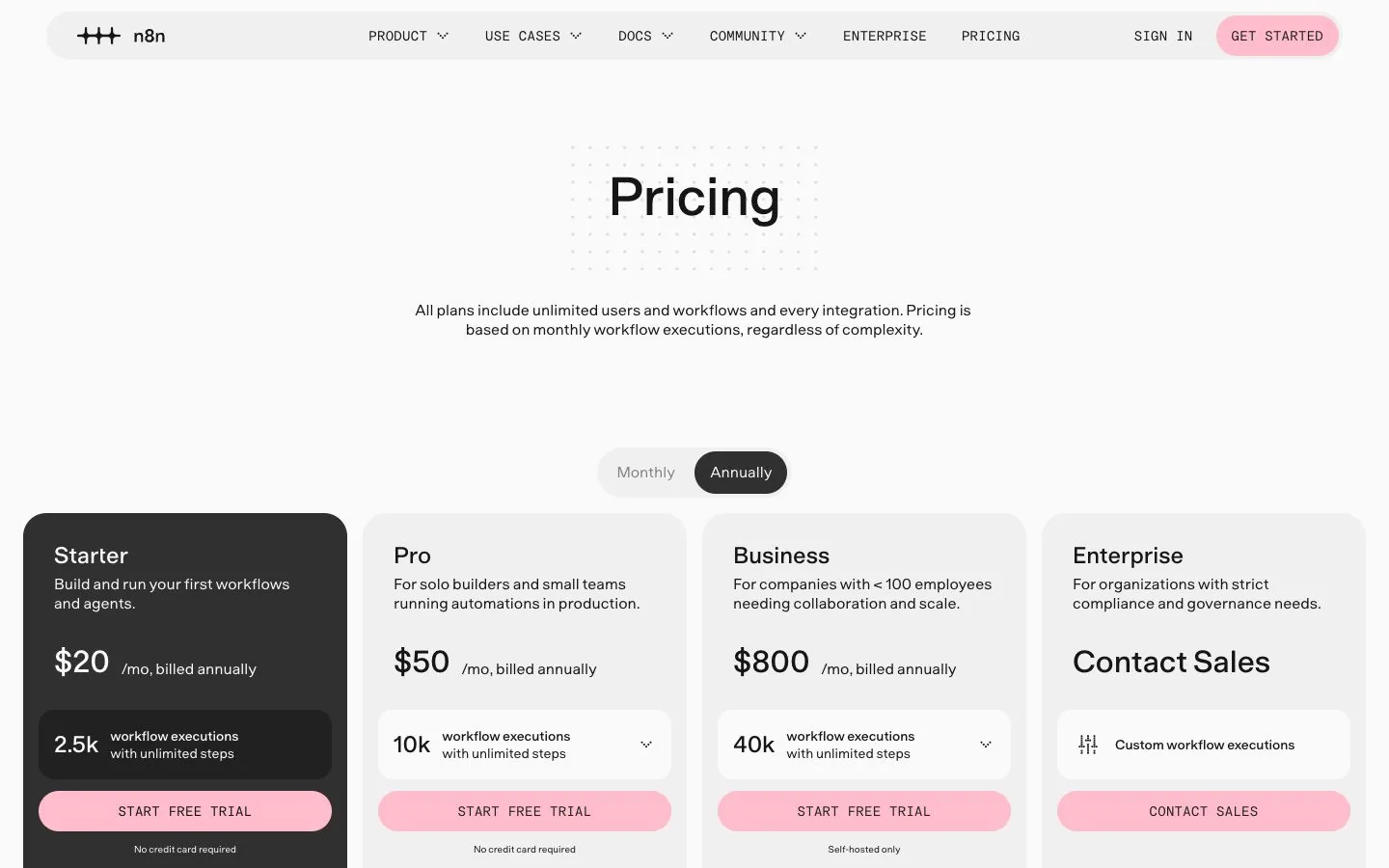
Short answer: n8n Cloud costs $24 a month for 2,500 workflow executions (Starter) or $60 a month for 10,000 (Pro), billed monthly; yearly billing brings those to $20 and $50. The Business plan is $960 a month ($800 a month billed yearly) for 40,000 executions and is self-hosted only. The self-hosted Community Edition has no license fee.
Read on n8n.io/pricing on November 15, 2026, in US dollars.
How much does n8n cost?
 n8n plans9.5/10From $24/mo · checked November 15, 2026 | Monthly billing | Annual billing, per month | Included | Notes |
|---|---|---|---|---|
| Starter (Cloud) | $24 | $20 | 2,500 workflow executions a month | 1 shared project, 5 concurrent executions, agents, MCP and AI nodes, forum support |
| Pro (Cloud) | $60 | $50 | 10,000 workflow executions a month | 3 shared projects, up to 50 concurrent executions, admin roles, workflow history |
| Business (self-hosted only) | $960 | $800 | 40,000 workflow executions a month | SSO and LDAP, multiple environments, queue mode, Git version control |
| Enterprise | On request | On request | Custom executions | Contact sales; hosted by n8n or self-hosted |
Every plan comes with unlimited users, unlimited workflows and every integration; the pricing page says so in its first line. You are choosing an execution volume and a set of team features. n8n also runs a Startup plan: companies under 20 employees that qualify get 50% off Business.
What is an execution?
One execution is one complete run of a workflow, from the trigger to the last node. In n8n's words, "it doesn't matter how many steps are in the workflow or how much data it processes. It's still a single execution." A workflow that fails before finishing does not count: "If it doesn't run, you don't pay."
This is the opposite of how Zapier and Make count, and it changes which workflows are cheap. A 30-step workflow that runs twice a day costs 60 executions a month. A 2-step workflow triggered by every incoming email could cost thousands.
How many executions do you need?
n8n's FAQ gives three rules of thumb that are worth copying onto a napkin:
- Scheduled workflows: count the schedule. Daily means 30 or 31 executions a month. Every 5 minutes means about 8,600 to 8,900.
- Webhook workflows: one execution per event. Estimate events per day and multiply.
- Chatbots: conversations per week × messages per conversation.
Notice the middle case. A single workflow polling every 5 minutes is already more than three times the Starter allowance, on its own. Before you buy Pro for that, ask whether the source can send a webhook instead, or whether every 15 minutes would do (about 2,900 executions a month).
Three teams, three plans: a worked example
- A solo consultant runs 5 daily reports and one webhook that receives about 40 form entries a day. That is 150 plus 1,200, so about 1,350 executions a month: Starter covers it with room to spare.
- A support team checks a shared inbox every 5 minutes and runs a few daily jobs. The inbox workflow alone is about 8,600 to 8,900 executions: that is Pro, with its 10,000.
- An operations team has three workflows that fire every minute. Each one runs about 43,200 times a month, so close to 130,000 in total. That is past Business (40,000): the options are a custom Enterprise volume or the self-hosted Community Edition.
The pattern is always the same: the trigger frequency picks the plan, and the length of the workflow does not. Paying yearly takes 17% off the monthly price, according to the toggle on the pricing page; wait until a month of real usage has confirmed your tier.
Is n8n free?
Two things are free, and they are not the same. The Cloud trial gives you Pro-level features with 1,000 executions, 5 concurrent executions, a 180-second execution timeout and one team project, without a credit card. The Community Edition is the self-hosted version on GitHub: no license fee, no execution limit from n8n, and your own server to pay for and maintain.
A caution on wording: n8n is not open source in the strict sense. Its Sustainable Use License, which n8n calls fair-code, allows use and modification for your own internal business purposes and restricts offering n8n to others as a paid service. We explain what that means in the n8n review.
n8n Cloud or self-hosted: what do you really pay?
On Cloud you pay the plan, and the model provider if you use your own API keys. On a self-hosted Community Edition you pay for:
- a server or container host, sized for your workflows;
- a database and backups;
- the time to update n8n and to react when something fails;
- model usage on your own keys.
For a team with a developer and data that must stay in-house, self-hosting is often the cheaper route at volume. For a team without one, the hours cost more than the $24. Some features exist only on self-hosted instances (custom nodes, bash scripts, LangSmith tracing), which can settle the question by itself.
The paid self-hosted tiers work differently. Business and Enterprise features are unlocked by a license key that, according to the FAQ, "must ping our license server daily to stay active", and that ping includes your number of production executions.
Video: “I found the cheapest AI Model for building workflows”, from the n8n channel on YouTube.
What are the limits on Starter and Pro?
| Compared |  Activepieces9.4/10From $20/mo checked Nov 15, 2026 | ||
|---|---|---|---|
| Entry price | From $24/mo | From $16/mo | From $20/mo |
| Billed in | Workflow executions | Credits | Credits (one per run) |
| Included at entry | 2,500 workflow executions a month | 10,000 credits a month | 10,000 credits a month |
| Free plan or trial | No free cloud plan. The self-hosted Community Edition is free to run under n8n's Sustainable Use License; you pay for your own server. | Free plan with 1,000 credits a month and 2 active scenarios | Free forever plan with 1,000 credits a month, no card; the open-source Community Edition is free to self-host (without Agents and Chat) |
| Self-hosting | Yes: Community Edition on your own server (Sustainable Use License, fair-code, not an OSI open-source license) | No; an on-prem agent for local networks is Enterprise only | Yes: open-source Community Edition on your own servers; Activepieces says paying adds Agents and Chat |
| Official page | Check price at n8n | Check price at Make | Check price at Activepieces |

Inside n8n, the gap between the two Cloud plans is mostly about headroom. Starter allows 5 concurrent executions, a 5-minute maximum execution time, 1 shared project and 7 days of execution logs. Pro raises that to as many as 50 concurrent executions, 40 minutes, 3 shared projects and 30 days of logs, and adds admin roles and workflow history. If your workflows call slow models or loop through long lists, the 5-minute ceiling on Starter is the limit you will meet first.
What are the hidden costs of n8n?
- The Business cliff. Pro is $60 a month; Business is $960. SSO, environments and Git version control sit on the far side.
- Assistant credits. The prompt-to-workflow Assistant has a monthly allowance (1,600 credits on Starter) and extra credits are sold separately.
- Model tokens. Agents that run on your own keys generate a second bill at the model provider.
- Overage. Listed as capped on Starter and Pro. On Business, workflows keep running past the quota and "overage charges may apply".
Which n8n plan should you choose?
- Community Edition if you have the skills to run a server and want no execution ceiling.
- Starter for a solo builder with scheduled or low-volume workflows: 2,500 runs is about 80 a day.
- Pro for a small team in production: 10,000 runs, longer executions, shared projects.
- Business only if you need SSO or environments, and only self-hosted.
If none of these fits, the neighbors are in our n8n alternatives guide, and the head-to-heads are n8n vs Make and n8n vs Zapier. Each neighbor also has its own page: the Make.com review and the Zapier review; the full picture of n8n is in the n8n review. For other tools you can host yourself, see open source AI agents.
Our 3 picks from this guide
Frequently asked questions
Is n8n free?
The self-hosted Community Edition has no license fee, and n8n Cloud has a free trial with 1,000 executions and no credit card. There is no permanent free plan on n8n Cloud.
How much does n8n Cloud cost?
$24 a month for Starter (2,500 executions) and $60 a month for Pro (10,000 executions), billed monthly; $20 and $50 when billed yearly. Read on November 15, 2026.
Is n8n self-hosted free for commercial use?
You can use the Community Edition for your own internal business purposes under the Sustainable Use License. Offering n8n to third parties as a paid or hosted service requires a commercial agreement with n8n.
Is the n8n Business plan available on Cloud?
Not yet, according to n8n's pricing FAQ: Business is currently only available for self-hosted n8n, with a waitlist for a hosted version.
What happens if I exceed my n8n executions?
On Starter and Pro the comparison table lists overage fees as capped. On Business, n8n says workflows continue to run and overage charges may apply unless you move to the next tier.